

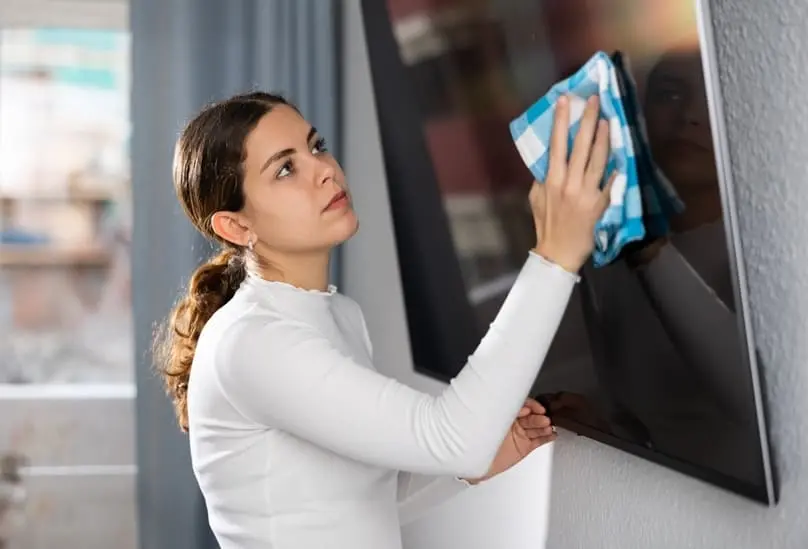
Many users tend to clean their screens impulsively, using glass cleaner, alcohol, or paper towels, which is a mistake. Knowing the best way to clean screens without damaging it is a simple task if done with knowledge and the right materials.
Modern TVs, especially those using technologies like OLED, QLED, or MiniLED, have delicate screens that require special care. Using unsuitable products or methods can not only cause permanent stains but even damage the panel or affect touch sensitivity in models that incorporate it. This same rule applies if you are searching for the best way to clean computer screen displays in your home office.
Frequent cleaning, but with the correct technique, prolongs the TV’s lifespan and maintains its visual quality. In this article, YCS teaches you how to clean your TV screen safely and effectively, without the risk of scratches. We break down the process into clear and easy-to-follow steps, from initial preparation to choosing the right materials, highlighting the best way to clean your screen regardless of the brand.
What Is the Best Way to Clean a TV Screen?
Cleaning a TV screen is a delicate task, but with the right tools and techniques, it can be done safely and effectively. If you have ever wondered what’s the best way to clean a tv screen, here are some tips for cleaning your TV screen without causing damage.
- Turn off and unplug the TV: This prevents electrical interference and allows you to see the stains better thanks to the black screen.
- Remove surface dust: Gently wipe the screen with a dry microfiber cloth to remove accumulated dust.
- Prepare the cleaning solution (if needed): For more stubborn stains, you can use distilled water or commercial solution. Spray it onto the cloth, never directly onto the screen.
- Clean with circular motions: Lightly dampen the cloth and gently wipe the screen without pressing too hard. Move the cloth in continuous, circular motions to avoid streaks.
- Dry and wipe again: Use another dry microfiber cloth to remove any remaining moisture.
This procedure can be applied to all types of TVs, from compact 32-inch models to large 98-inch screens. The core technology of any type of screen—LED, LCD, OLED, or QLED—is fragile and vulnerable to chemical damage and scratches. Always use the best way to clean flat screen tv to avoid damage.
Why Cleaning Your TV Screen the Wrong Way Can Cause Permanent Damage
Inadequate cleaning of a TV screen can result in microscopic scratches, moisture entering internal electronics, and the removal of its sensitive anti-glare coatings, all of which can cause irreversible harm. These mistakes result in unfixable low picture quality, faded hues, and hazy areas.
The delicate external layers of contemporary televisions (such as OLED, QLED, and 4K LED screens) make them incapable of withstanding the same cleaning agents as conventional glass windows. Discovering the best way to clean screens displays helps prevent these common maintenance accidents. The most frequent errors people make, together with their particular repercussions, are:
- Making use of chemical cleaners
- Making use of abrasive materials
- Direct liquid spraying on the screen
- Pressing too hard
Best Cleaners for TV Screens
Using a dry, high-quality microfiber cloth or distilled water for stubborn smudges is the safest and most efficient approach to clean your TV screen. The sensitive anti-glare coatings of contemporary 4K and OLED screens will be irreversibly removed by using harsh chemicals like alcohol or window cleaners. Choosing the best cleaners for tv screens ensures long-term display clarity.
The Best Screen Cleaners Suggested by Experts
If a dry towel isn’t sufficient to get rid of sticky smudges or fingerprints, take into consideration these safe, specific formulas. Finding the best way to clean screens always involves using products that protect delicate electronics:
- Whoa! 2.0 Cleaner: Generally regarded as the greatest screen cleaner available. It is the same cleaner used by the Apple Store and is perfectly safe for sensitive screens because it contains neither alcohol nor ammonia.
- Screen Mom Screen Cleaner: An excellent non-toxic and kid-friendly choice. It eliminates dust and oily fingerprints without causing stains or offensive smells.
- Windex Electronic Cleaning Wipes: An extremely practical anti-static solution for fast smudge and dust removal.
Distilled Water vs Commercial Cleaning Solutions
Distilled water is the most affordable cleaning solution. When used with a single drop of dish soap for stubborn grime, it safely eliminates dirt without leaving residue. The safest and best choice for cleaning a TV screen is distilled water. It doesn’t include the minerals in tap water that result in permanent scratches or stains.
Use commercial cleansers only if they are made especially for sensitive electronic displays and are completely alcohol-free. Understanding the best way to clean screens means you should only use reputable, tried-and-true brands and check their ingredient lists.
Best Way to Clean a Computer Screen
Keeping your monitor screen clean is critical for good viewing, particularly in today’s mixed work contexts. Finding the best way to clean screens requires the use of proper materials and practices to prevent any accidental harm. To keep a computer monitor functional, clean it according to the manufacturer’s instructions.
Differences Between Laptop and Desktop Monitors
Although the cleaning principle is similar, finding the best way to clean screens requires understanding some structural differences to consider:
- Laptop screens are extremely thin and sensitive. Applying too much pressure while cleaning can permanently damage the LCD panel. Because the internal components, keyboard, and trackpad are located directly underneath, the risk of liquid seeping through the gaps is much higher.
- Desktop monitors are more rigid and thicker, allowing you to apply light pressure while rubbing to remove grease stains. They also don’t have a keyboard directly underneath, so there’s less risk of liquid dripping onto the main components.
Cleaning Techniques for Different Monitor Types
- In-Plane Switching (IPS) Monitors: IPS displays, a type of LCD panel, provide wide viewing angles and precise color reproduction. Remove dust with a dry microfiber cloth. To remove smudges, dampen the cloth gently with distilled water.
- Monitors with vertical alignment (VA): VA monitors offer excellent contrast ratios and deep blacks. To remove dust, start with a dry microfiber cloth. For harder spots, apply a 50/50 mixture of distilled water and white vinegar to the towel.
- Touchscreen Monitors and Laptops: Touch displays need to be cleaned more frequently since they come into close contact with fingers. For daily cleaning, use a microfiber cloth. To remove stubborn spots, simply dampen the towel with distilled water. Be especially delicate to avoid wearing out touch sensors.
How to Prevent Dust and Smudges on Screens
To reduce dust buildup, wipe your screen weekly with a dry, anti-static Microfiber Cloth. The best way to clean screens and avoid smudges is to avoid touching the panel directly. Never use harsh chemical cleaners or paper towels, since they peel anti-glare coatings and cause micro-scratches.
Best Practices for Dust and Smudge Maintenance
- Regular Dry Dusting: Always use a clean, dry microfiber cloth. To avoid dragging microscopic dust across the screen, wipe gently with straight horizontal or vertical strokes rather than scrubbing in circles.
- Handling Stubborn Smudges: Never spray liquid straight on the TV screen. Instead, softly spritz a microfiber cloth with purified water or a solution of distilled water and a few drops of mild dish soap. Gently wipe away the smudge, then buff dry with a second clean towel.
- Avoid Chemicals: Never use glass cleaners, ammonia, alcohol, or acetone. These strong chemicals melt or cloud LCD, LED, and OLED plastic components.
- Static Reduction: Use an anti-static microfiber cloth to keep dust particles from aggressively sticking to the screen right after cleaning.
Managing Dust in Humid Florida Homes
Keeping a TV screen dust and smudge-free in humid Florida homes necessitates static and moisture management. The best way to clean screens locally involves switching off the television and dusting with a dry microfiber cloth daily. Apply a used dryer sheet to prevent static accumulation, and never use any harsh chemicals or paper products.
When DIY Screen Cleaning Is Not Enough
Heavy Grease or Smoke Buildup
Finding the best way to clean screens is simple for dust, but heavy grease or smoke creates a sticky residue. Harsh household cleaners can easily strip the anti-glare coating and permanently ruin your expensive television. When gentle microfiber wiping fails to remove the film, it is safer to trust the experts than risk damage.
When Professional Deep Cleaning May Help
Understanding the best way to clean screens won’t solve the problem if your entire room is dusty or greasy. Airborne particles will constantly resettle on your devices if the surrounding environment is neglected. Professional deep cleaning eliminates the hidden grime in your home, keeping your electronics cleaner for much longer.
Stop risking permanent damage to your expensive entertainment systems with incorrect or harsh DIY methods. For expert care and a consistently spotless home, leave the heavy lifting to our trusted team. Contact Yorleny’s Cleaning Services today to schedule your professional cleaning!
Screen Cleaning FAQs
Can You Use Windex on a Flat Screen TV?
No, you should never use Windex or standard glass cleaners on modern displays. The best way to clean screens is to completely avoid harsh chemicals like ammonia and alcohol found in window sprays, as they will permanently strip the anti-glare coating and ruin the delicate monitor.
What Is the Best Cloth to Clean TV Screens?
A dry, high-quality microfiber cloth is the absolute best material to use. The best way to clean screens without scratching them is to rely on these ultra-soft fibers, which gently trap abrasive dust and lift oily fingerprints without leaving lint behind like paper towels do.
What Should You Never Use on a TV Screen?
You should never use paper towels, toilet paper, old rags, or chemical solvents like acetone, ammonia, or bleach. When learning the best way to clean screens, avoiding these abrasive materials is critical, as they will create micro-scratches and permanently damage the screen’s pixel layer.
How Often Should You Clean a TV Screen?
You should gently wipe down your TV screen with a dry cloth once a week. Maintaining a consistent weekly dusting routine is the best way to clean screens long-term, preventing abrasive dust particles from building up and making occasional smudges much easier to remove.
Is It Safe to Use Water on a TV Screen?
Yes, but only in extremely small amounts and never sprayed directly onto the device. If a dry wipe isn’t enough, the best way to clean screens is to lightly dampen a microfiber cloth with distilled water (never tap water, which leaves mineral residue), wring it out thoroughly, and gently wipe the stubborn smudge.

Reviewed by:
Tony Loeffler is the Co-Founder of Yorleny's Cleaning Service and a leader in residential cleaning services. As a content reviewer and writer, he is an expert around the cleaning services in Florida, specifically West Palm Beach County.
Recent Articles

How to Clean Your Mattress Properly and Remove Stains
Knowing how to clean your mattress properly not only helps remove stains and odors, but also allows you to disinfect it, prevent…

How to Get Rid of Ants Quickly and Permanently
With the arrival of warmer weather, the typical ant infestation often appears in homes. Although most are harmless, an ant can carry…

Room-by-Room Cleaning Checklist for a Cleaner, More Organized Home
A room-by-room cleaning checklist is a systematic method that divides home maintenance into specific zones like kitchens, bathrooms, and bedrooms. This approach…
See below to check if our top-quality house cleaning services are available in your city and book your first appointment with just a few clicks.